
Practical Ordera guides
Get to know your workspace
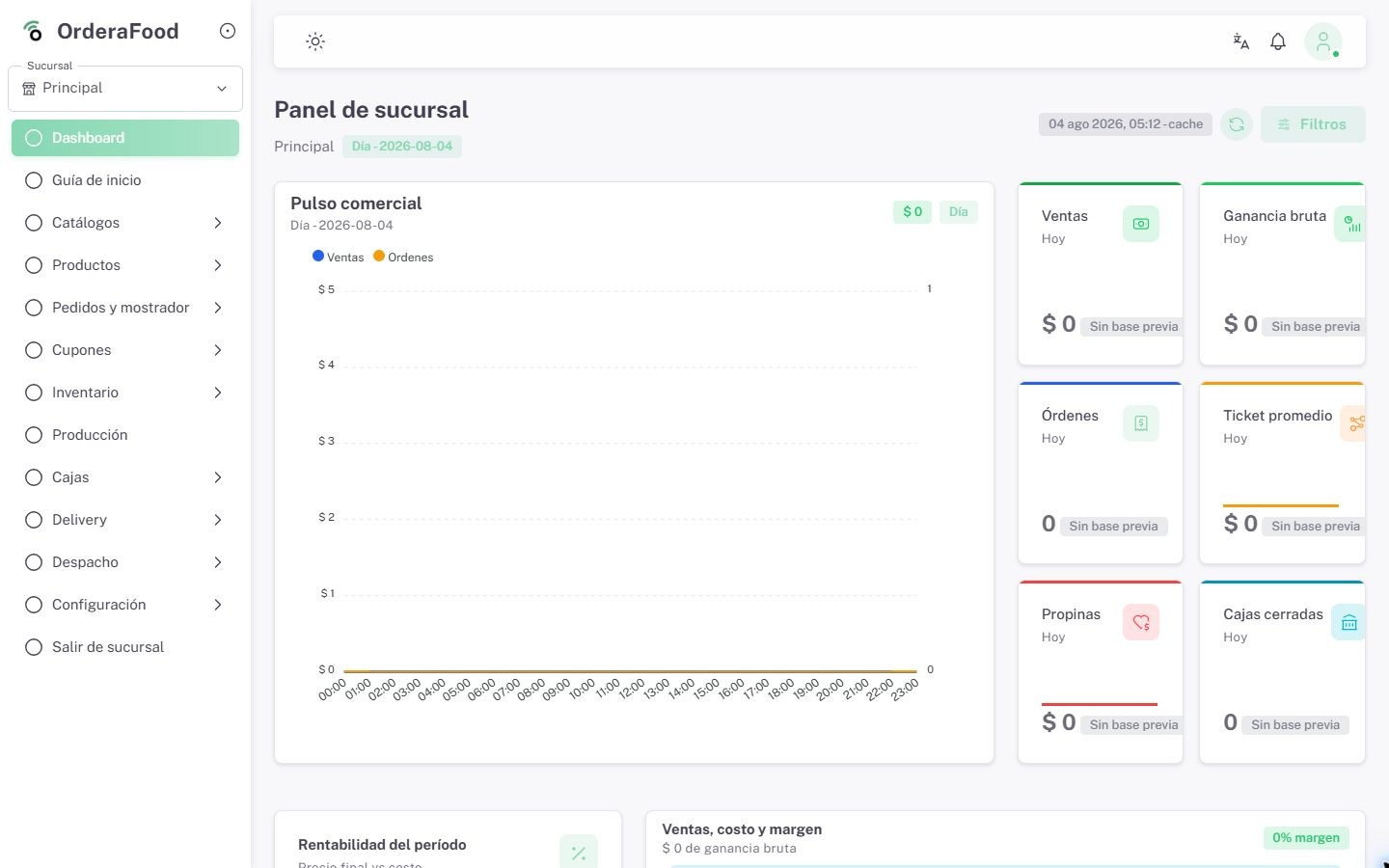
Get to know Ordera’s home screen and where to find the tools you will use in your business.
Lesson 1 of 270 of 27 completed · 0%
Course contentsView course contents
27 lessons
Video availableOriginal audio in Spanish.
The player connects to YouTube when you open this lesson. You can also watch it on YouTube.
When the video ends, the lesson is marked as completed and the next lesson opens. You can also use the previous and next buttons.
What you will learn
- Recognize the home screen and main menu.
- Find Ordera’s main sections.
- Understand what each section is for.
- Open a section and return to the home screen.
Workflow steps
Recognize the home screen
Recognize the home screen and the main menu.
Find the tools
Find Products, Inventory, Customers, Orders and Deliveries, and learn what each section is for.
Navigate and return
Learn how to open a section and return to the home screen.
Checking progress in this browser…
Share this lesson
Copy the link to share this guide with your team