
An experience with your identity
Customize colors, images, header, information and links visible to customers.
Receive direct orders, define how each delivery is priced, organize your couriers and keep kitchen, checkout and inventory in the same workflow.
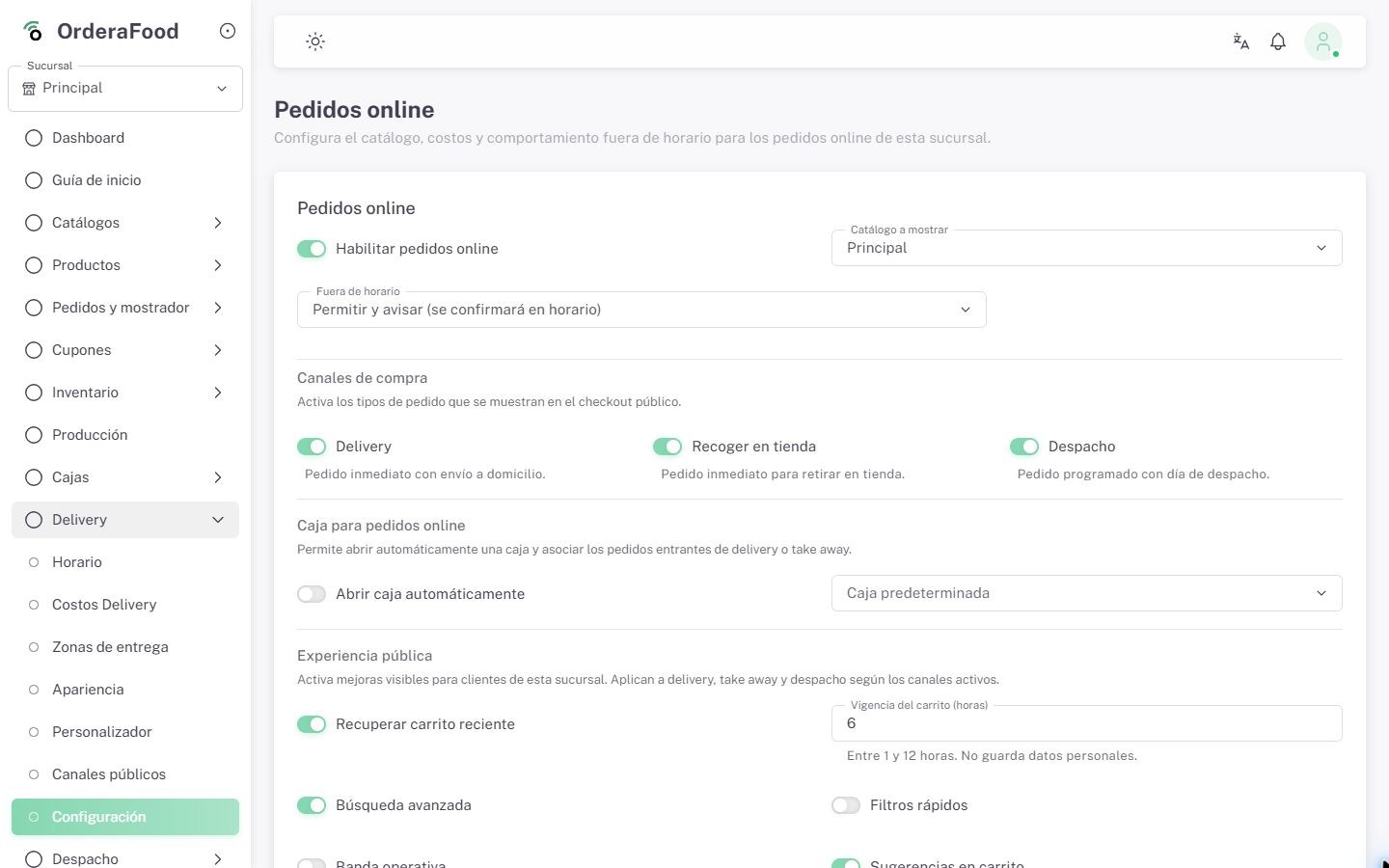
Delivery is part of the system your team uses every day and can adapt to each location's conditions.
Customize colors, images, header, information and links visible to customers.
Configure fixed, per-kilometer or zone fees, including free-delivery thresholds.
Publish channels with catalogs, featured products and specific commercial rules.
Define available schedules and fulfillment modes based on how your business works.
Ordera preserves the commercial information and brings it into store operations to reduce duplicate entry and confusion.
Show me this journeyThey choose products, fulfillment mode, address, time and an available payment method.
It applies availability, promotions, channel rules and the corresponding delivery fee.
The order enters with its information and items, ready for preparation and payment.
Operations can assign a courier, update statuses and keep the result in reports.
Availability and costs are managed from the location settings.
Configure how you deliver and let Ordera apply the matching conditions when the order is quoted.
Keep a delivery personnel registry, assign orders and follow the work through clear statuses inside Ordera.
Depending on setup and subscribed modules, the same order can support different areas without entering it again.
Items enter the order workflow so kitchen or production can continue the work.
Products and ingredients can be consumed according to the policy configured for the location.
The order keeps amounts, taxes, delivery fees and payment status.
Channel sales remain available to analyze with the rest of the operation.
Final availability depends on the plan, country and commercial account configuration.
Yes. Ordera lets you register delivery personnel by location, assign orders and work with out-for-delivery and delivered statuses.
You can configure a fixed fee, a per-kilometer amount or zone-specific fees. A fallback fee is also available for cases defined by the location.
Yes. Delivery zones and settings support thresholds that apply free delivery when the order reaches the configured amount.
Online orders enter the order workflow with their items and statuses. The exact journey depends on operating settings and enabled modules.
Yes. Each location can enable delivery, pickup and scheduled modes according to its schedules and configuration.
Yes. You can configure colors, images, information, links and several visible aspects of the public channel.
In a demo we show how the journey is configured from the customer's order through preparation, assignment and delivery.