
Full power for your operation
A complete toolkit designed to eliminate chaos, control costs and scale your food business.
- POS, orders and kitchen workflows synced in real time.
- Inventory, recipes and costs controlled from one place.
- Clear reports to make better decisions and grow with confidence.
Guided setup and support from day one.
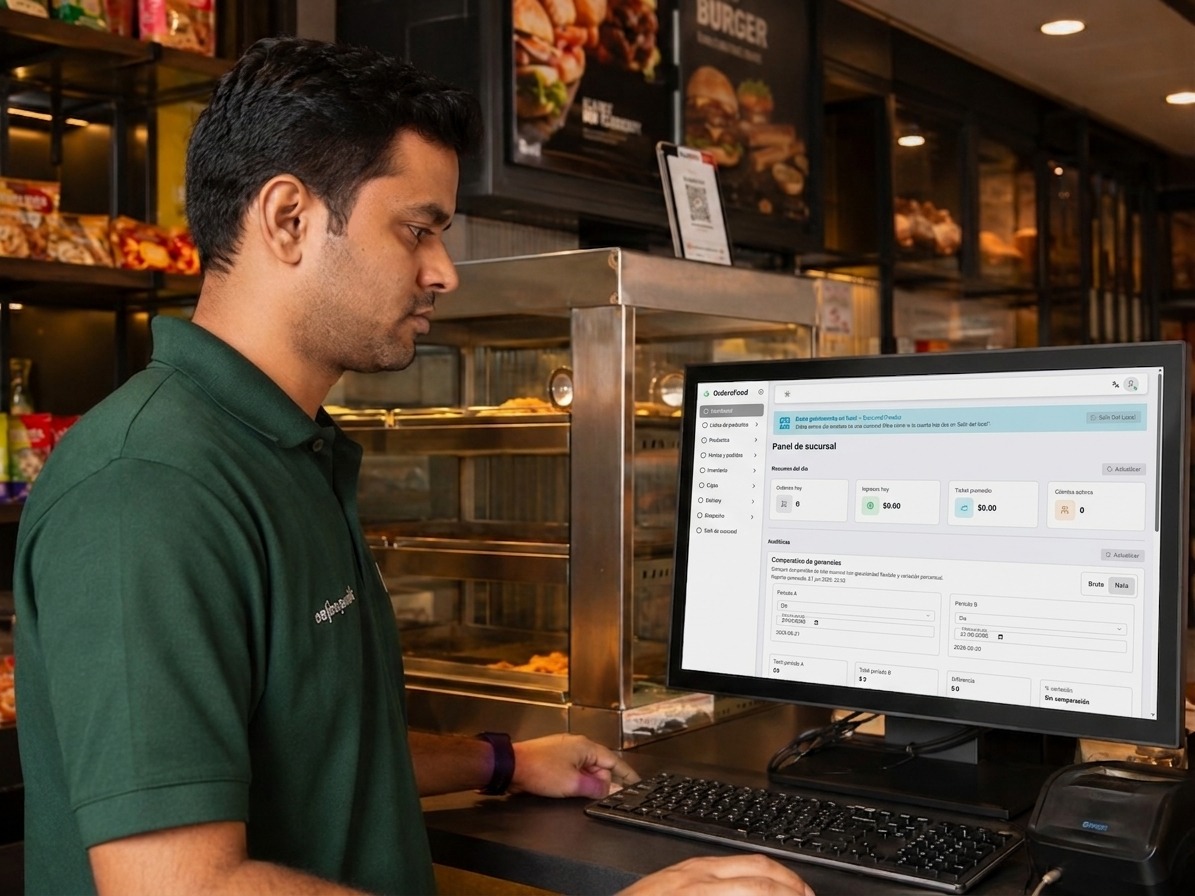
Your delivery operation should not run separately from the rest of your location
Receive branded orders and connect them with preparation, inventory, checkout and couriers. Every team works from the same information.
- Zones, distance-based fees and free-delivery rules.
- Pickup, delivery and scheduled orders for each location.
- Your own couriers and operational status tracking.
- Orders connected with kitchen, inventory and reports.
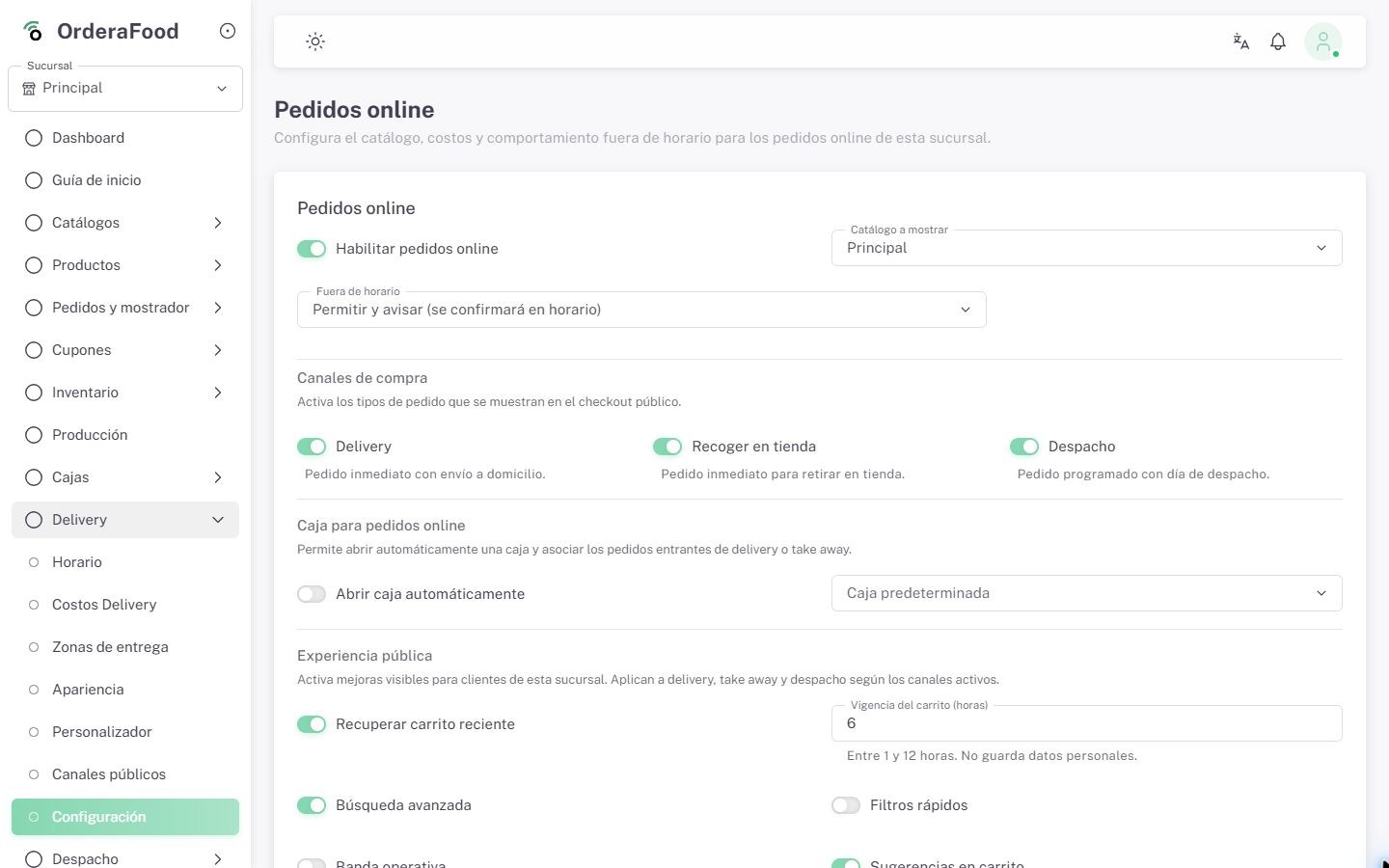
Delivery conditions, schedules, zones and fees managed from one place.
Quickly find what each team needs
Capabilities are grouped by operational moment so you can explore sales, channels, preparation and management without getting lost in one endless list.
Sales and checkout
Sell quickly and stay in control
From catalog setup to cash closing, every sale keeps its prices, payments, owners and traceability.
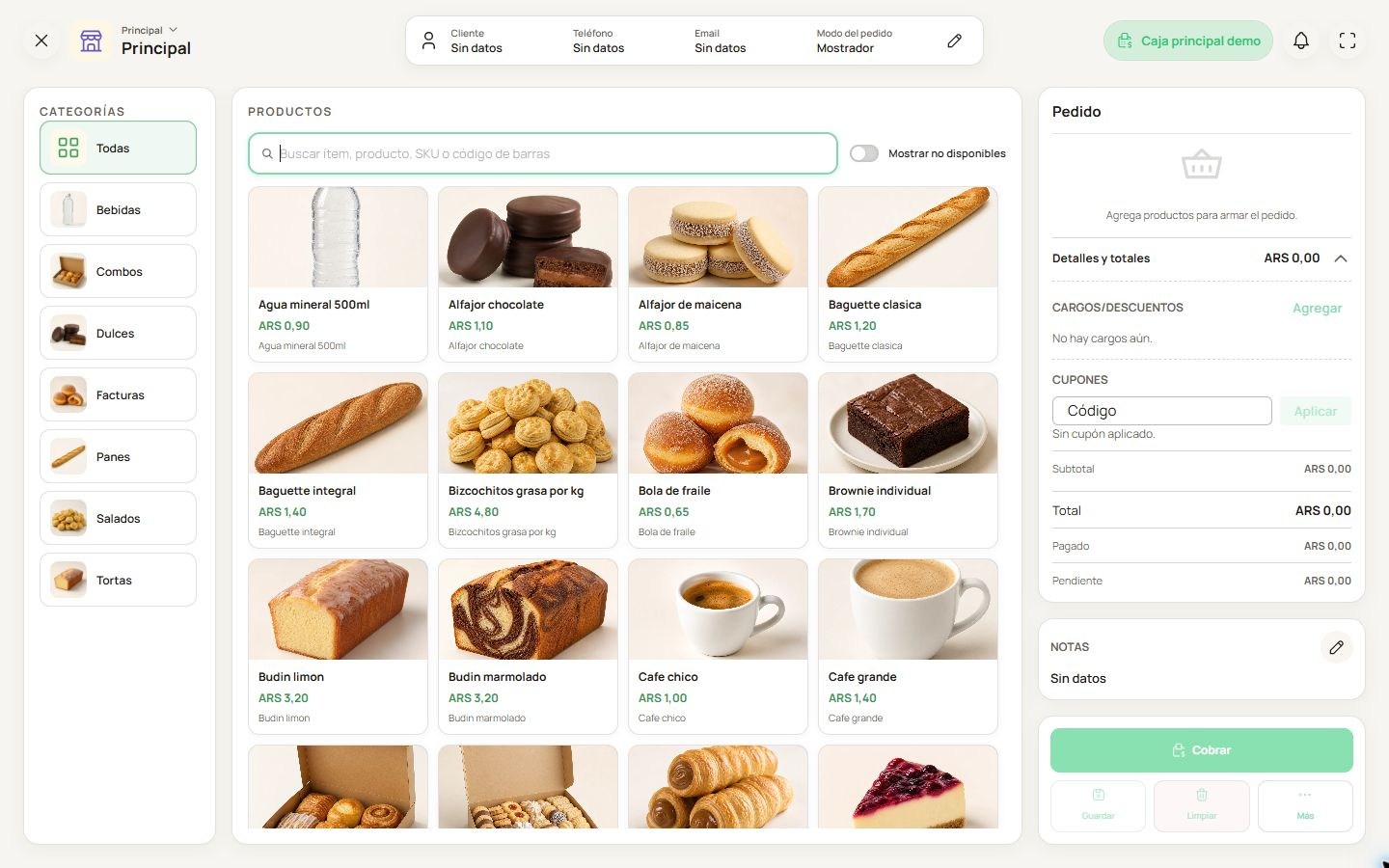
POS checkout view with multiple payment methods in one flow.
Point of Sale (POS)
Fast checkout software with multiple payment methods, split payments, discounts, surcharges and configurable tips.
Includes
- Fast product entry
- Multiple payment methods
- Simple counter and dining flow
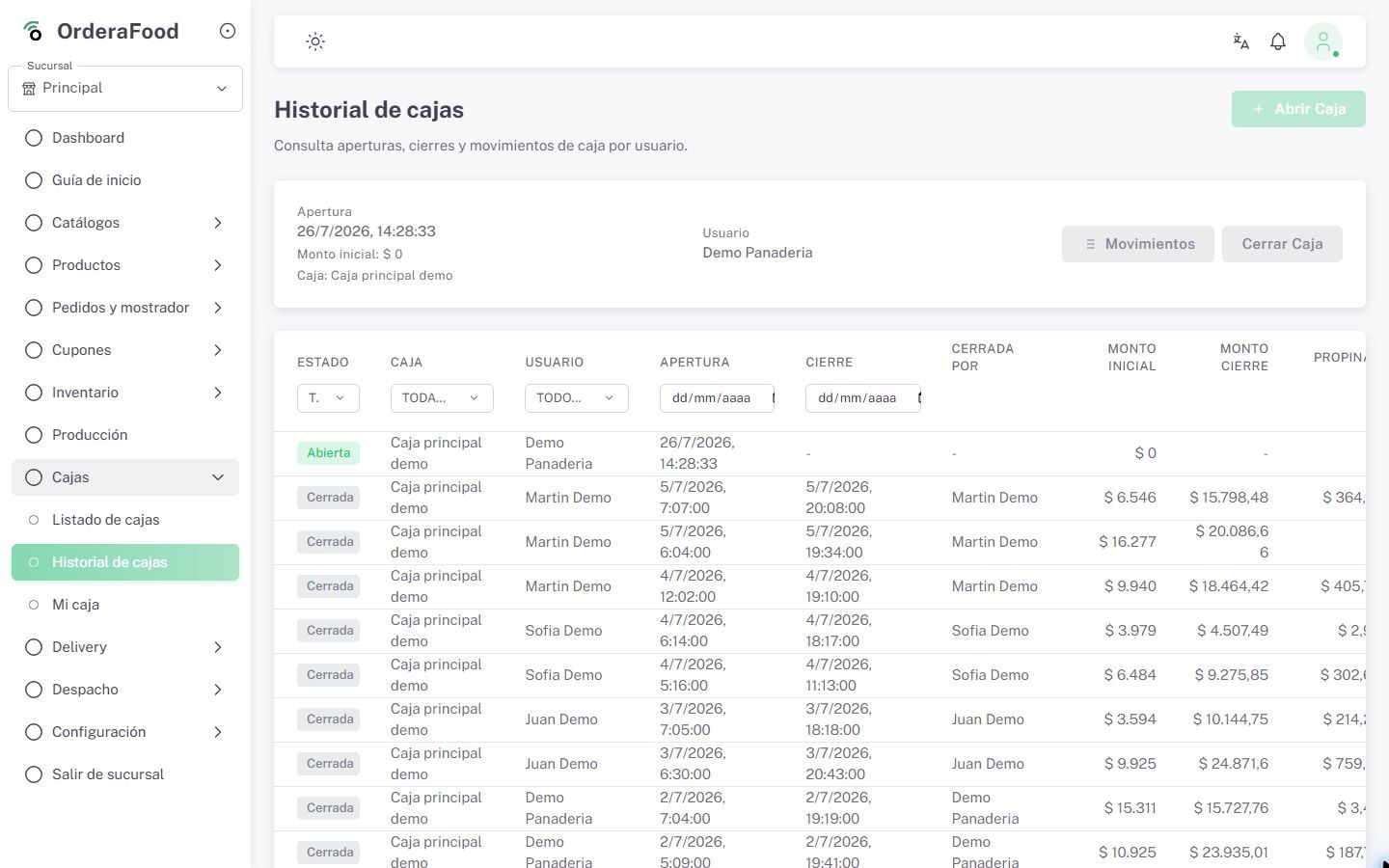
Cash register opening, movements and closing report.
Cash management
Control openings, closings, shifts, income, expenses and cash differences by location.
Includes
- Opening and closing
- Movements and differences
- Shifts and owners
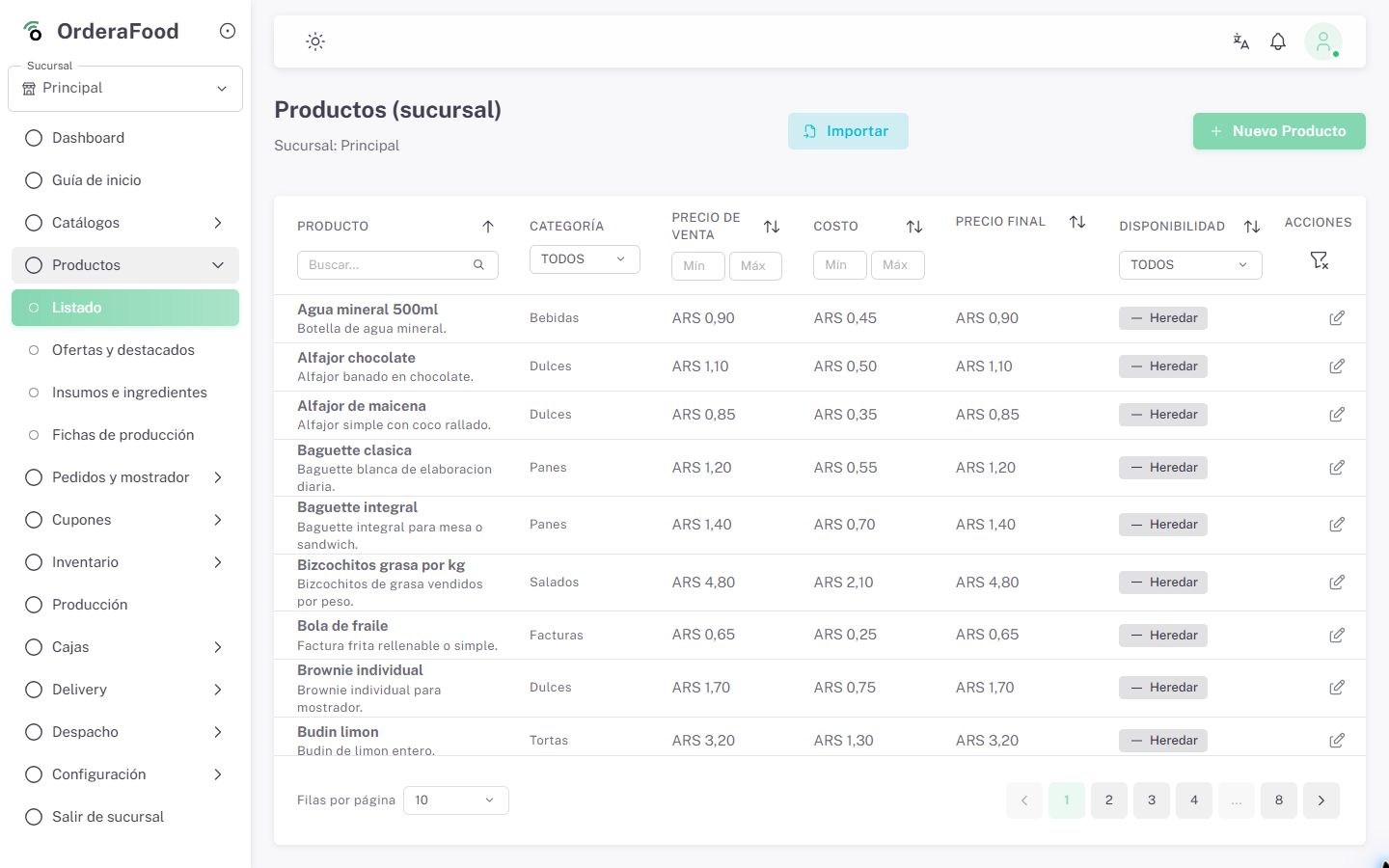
Product catalog with prices, costs, availability and bulk editing.
Catalog and pricing
Manage products, categories, costs, taxes and availability; import by CSV, edit in bulk and upload images by ZIP.
Includes
- CSV import
- Bulk product and price editing
- ZIP images and catalogs by location
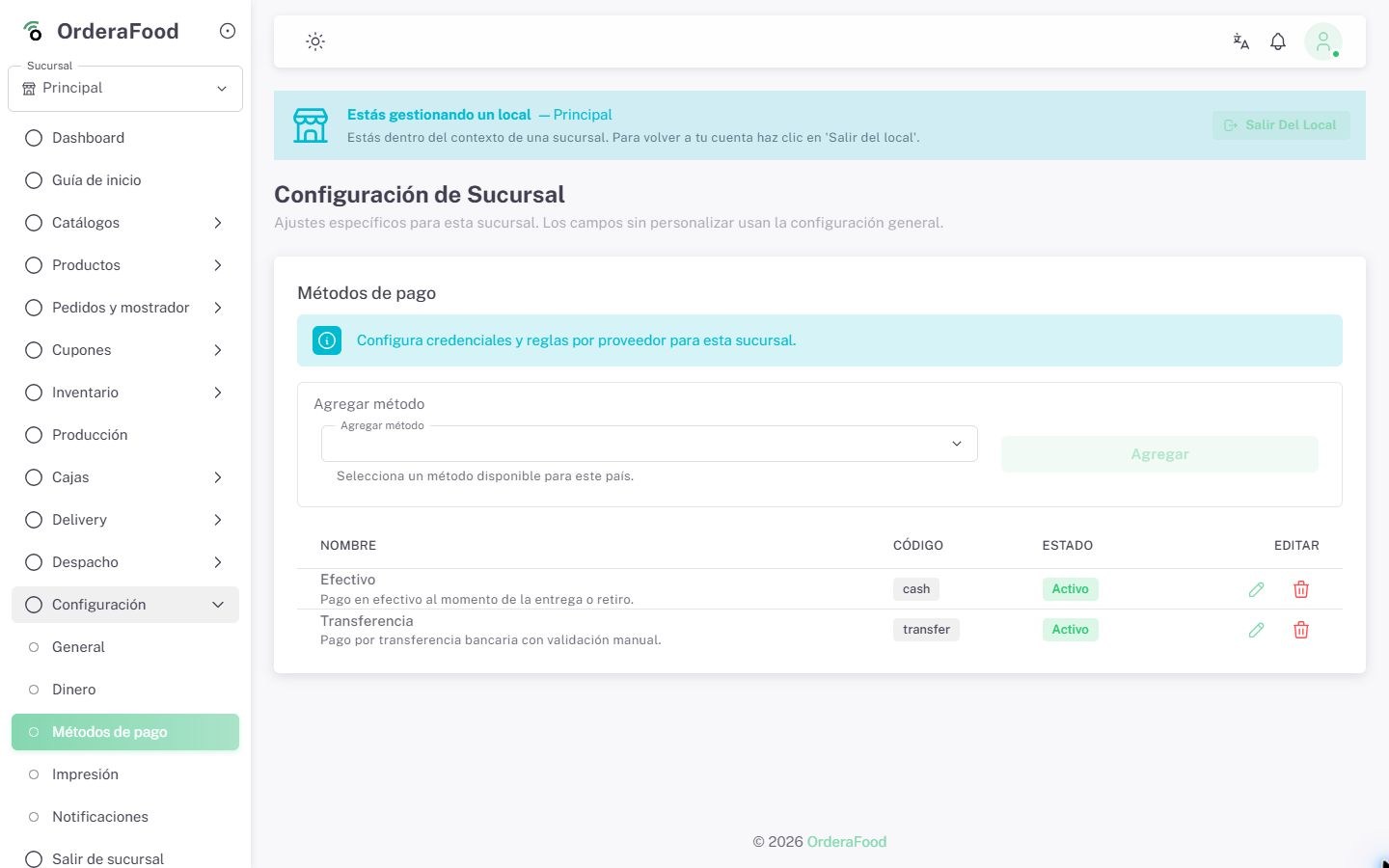
Mercado Pago Online and QR flow linked to the order.
Mercado Pago Online and QR
Accept online and QR payments in enabled countries through assisted seller-account connection and setup.
Includes
- Checkout Pro and QR
- Payments connected to orders
- Country-specific setup
Charge sent from Ordera to a compatible Point terminal.
Mercado Pago Point
Send charges from Ordera to compatible Point terminals. Offered as a pilot validated by country and device.
Includes
- Compatible terminal
- Charge sent from checkout
- Validation by country and device
Channels and customers
Connect dining room, counter and online sales
Receive orders from every channel and move them into one operational flow with rules for each kind of sale.
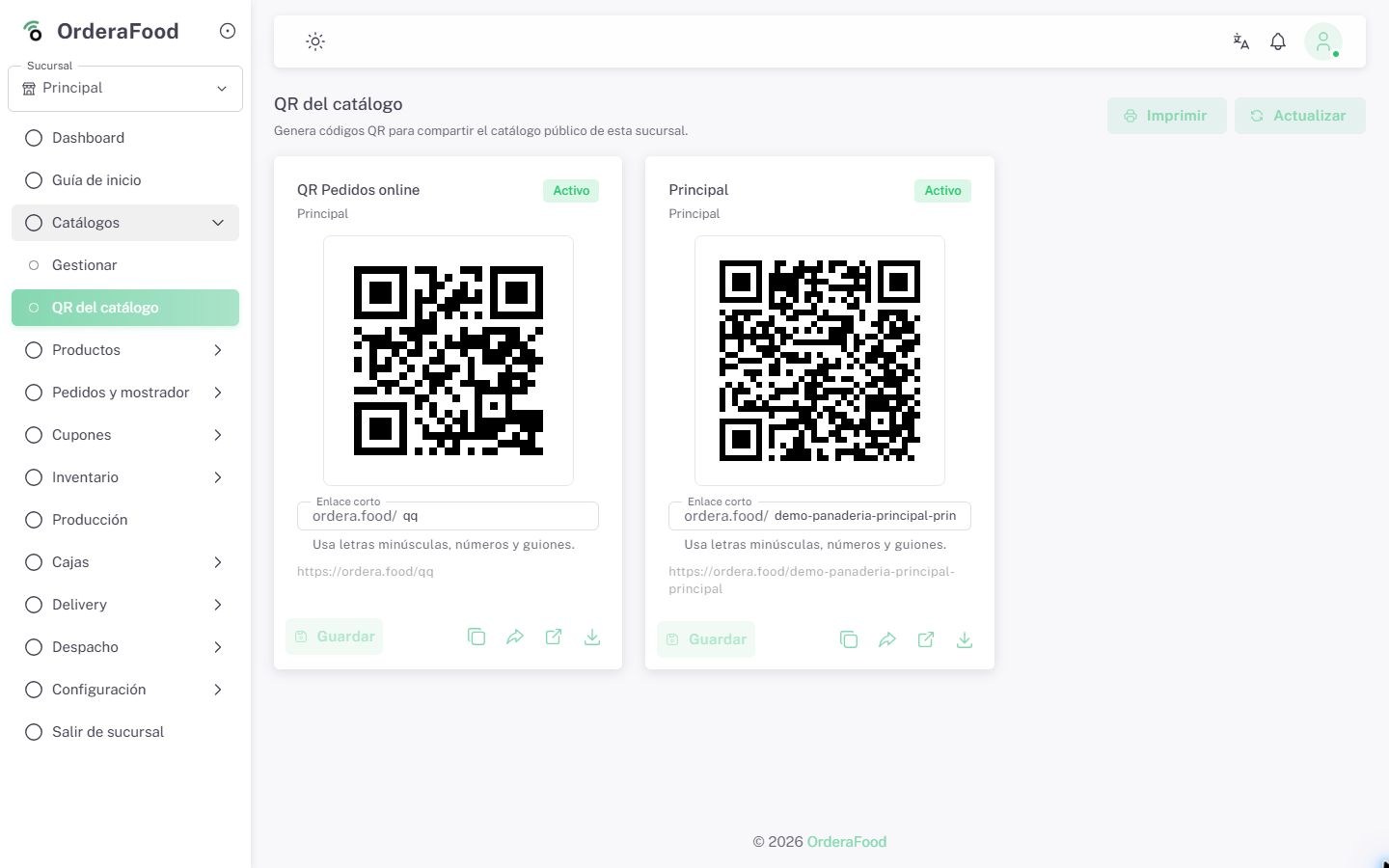
Public catalog with cart, shareable links, pickup and delivery.
Online store, QR and public links
Publish your catalog with cart, pickup or delivery, customize the experience and share short links or QR codes.
Includes
- Catalog and cart
- Configurable design and domain
- Short links and QR codes
Dining room floor plan and QR ordering setup by table.
Tables, floor plan and QR ordering
Organize areas and tables on a floor plan, generate a QR for each table and review orders before sending them to preparation.
Includes
- Dining room floor plan
- Renewable QR per table
- Review before preparation
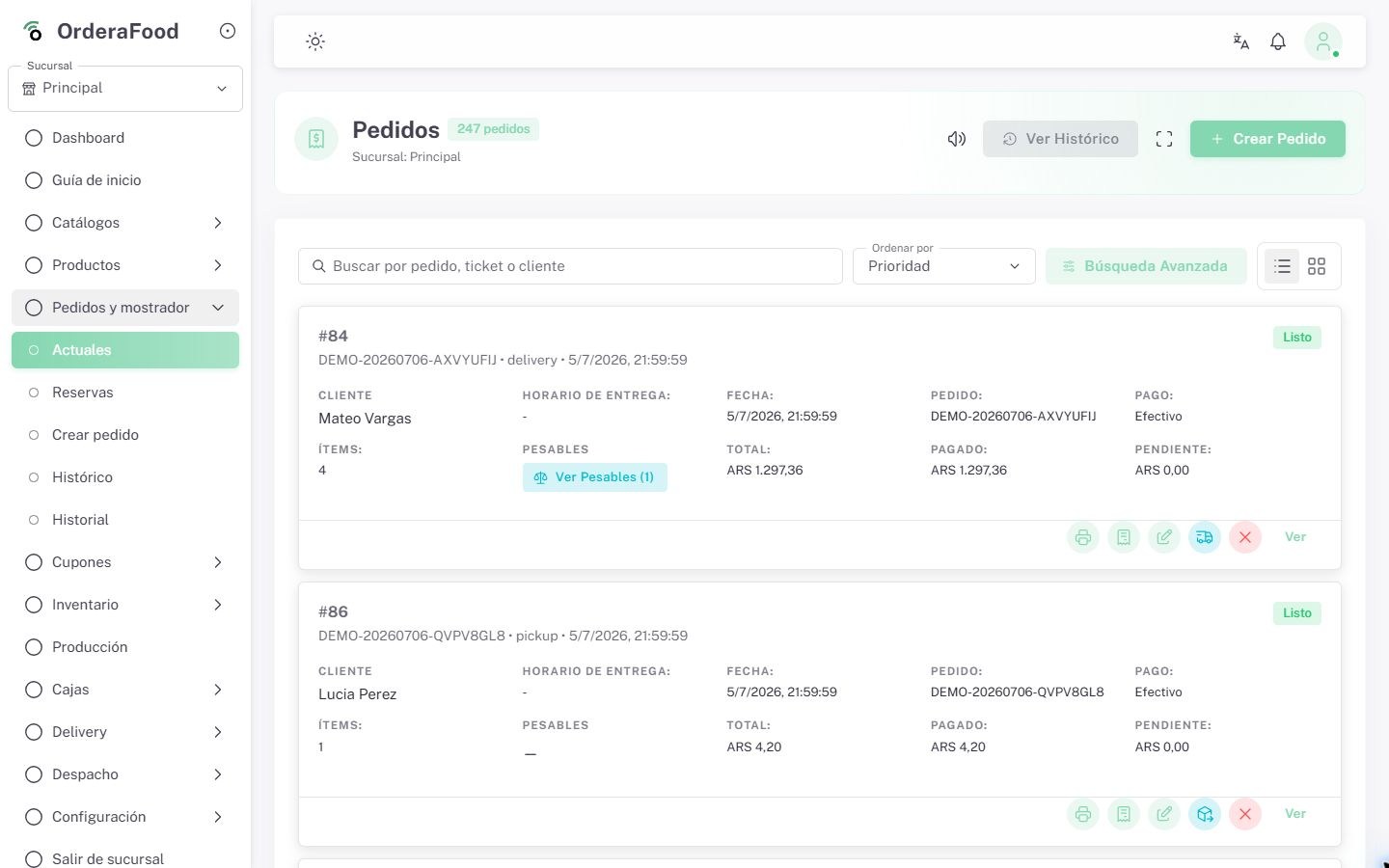
Delivery orders consolidated into a single operational queue.
Delivery, pickup and scheduled orders
Receive delivery or pickup orders, set schedules, zones, distance-based and free-delivery rules, and assign your own couriers.
Includes
- Pickup and delivery in one queue
- Location-level settings
- Status tracking
Catalogs and commercial rules by channel.
Sales channels and B2B portal
Create public or private catalogs with minimums, multiples and commercial rules by channel.
Includes
- Private catalogs
- Minimums and multiples
- Rules by channel
Coupon and promotion condition setup.
Coupons and promotions
Configure discounts with dates, minimums, caps, channels and usage limits per customer.
Includes
- Fixed or percentage discounts
- Validity and limits
- Use by channel and customer
Preparation and inventory
Coordinate what gets prepared and what is available
Kitchen, recipes, ingredients, stock and alerts work together to reduce improvisation and keep teams informed.
Kitchen screen with preparation and dispatch statuses.
Kitchen screen (KDS)
Show orders and their statuses on a clear screen so the kitchen knows what to prepare, what is in progress and what is ready.
Includes
- Preparation statuses
- Visible priorities
- Less paper dependency
Ingredient setup per product or preparation.
Ingredients module
Define which ingredients each dish or preparation includes to standardize production and improve operational consistency.
Includes
- Supplies by product
- Stock movements
- Base for costs and recipes
Recipe sheet with steps, portions and ingredients.
Recipes module
Document recipes by product with steps, portions and ingredients to streamline training and execution across the location.
Includes
- Portions and steps
- Preparation costs
- Operational standardization
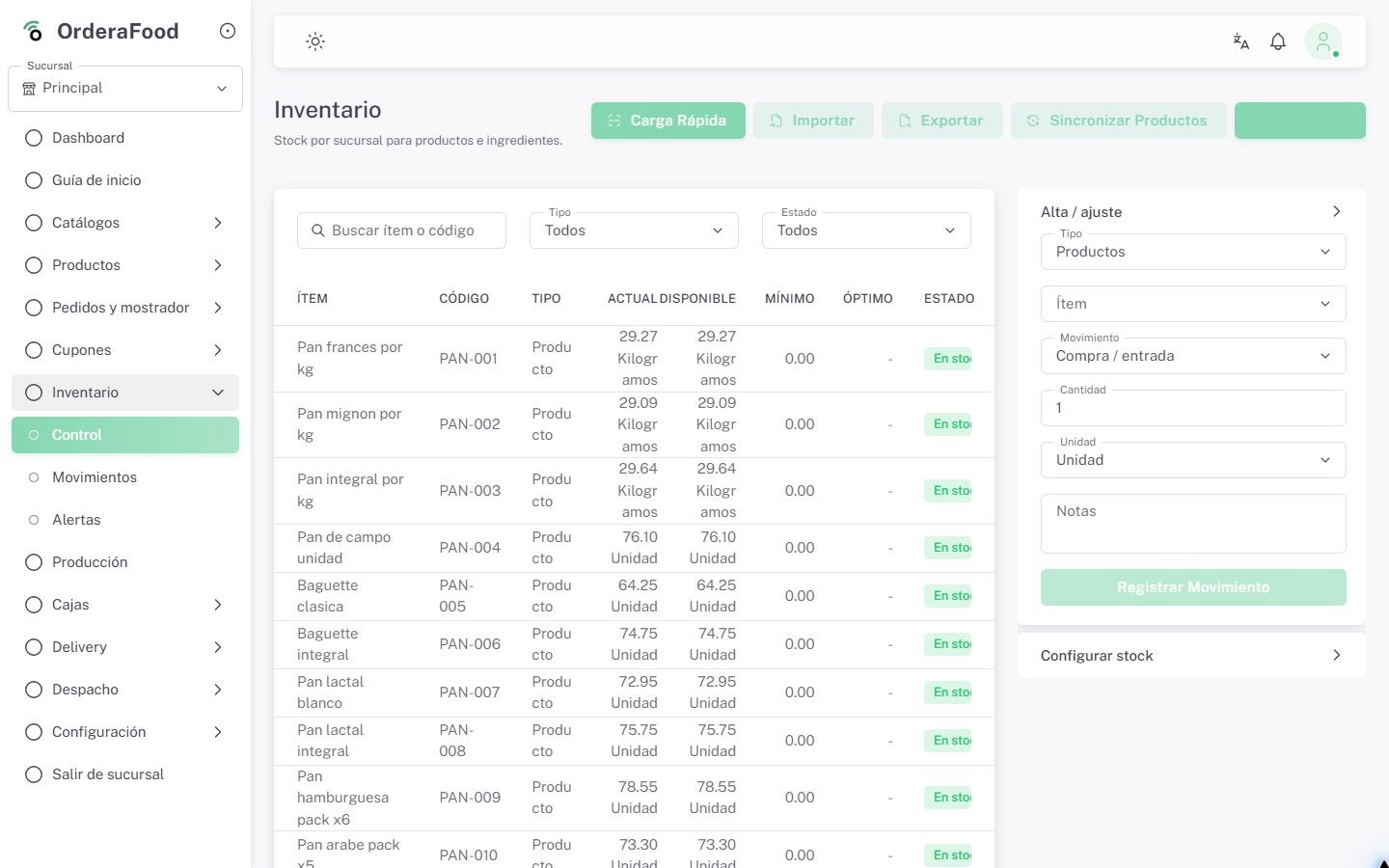
Inventory panel with supply-level stock and replenishment alerts.
Smart inventory
Track stock by location, ingredient movements, replenishment alerts, and recipe-linked consumption.
Includes
- Supply-level stock
- Replenishment alerts
- Location-level control
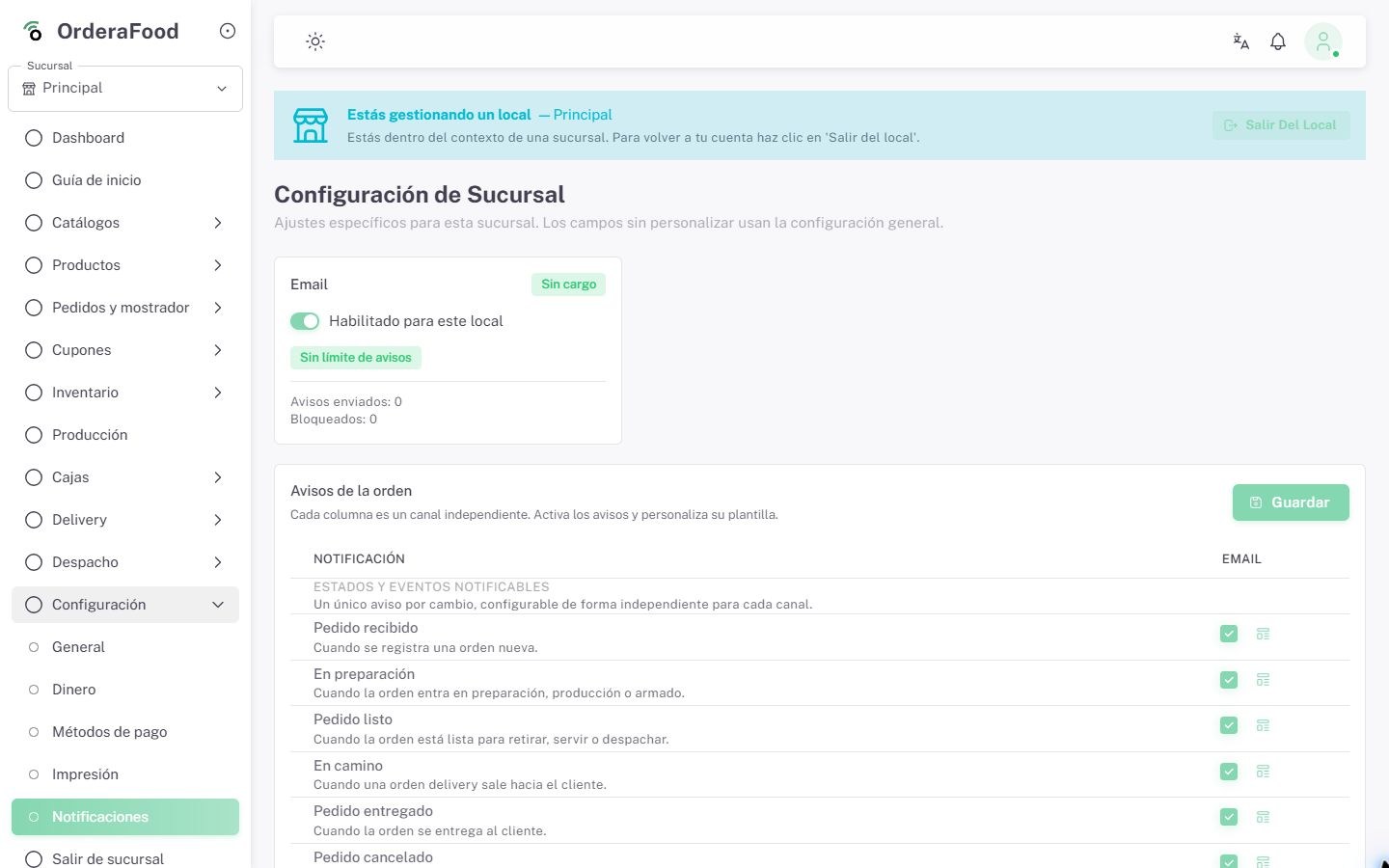
Operational email setup with automated event-based alerts.
Email notifications
Automate operational and administrative email alerts so teams and managers stay informed.
Includes
- Event-based alerts
- Email communication
- Alerts for owners
Management and follow-up
Measure operations and support your team
Review results by location, understand your customers and centralize operational and support follow-up.
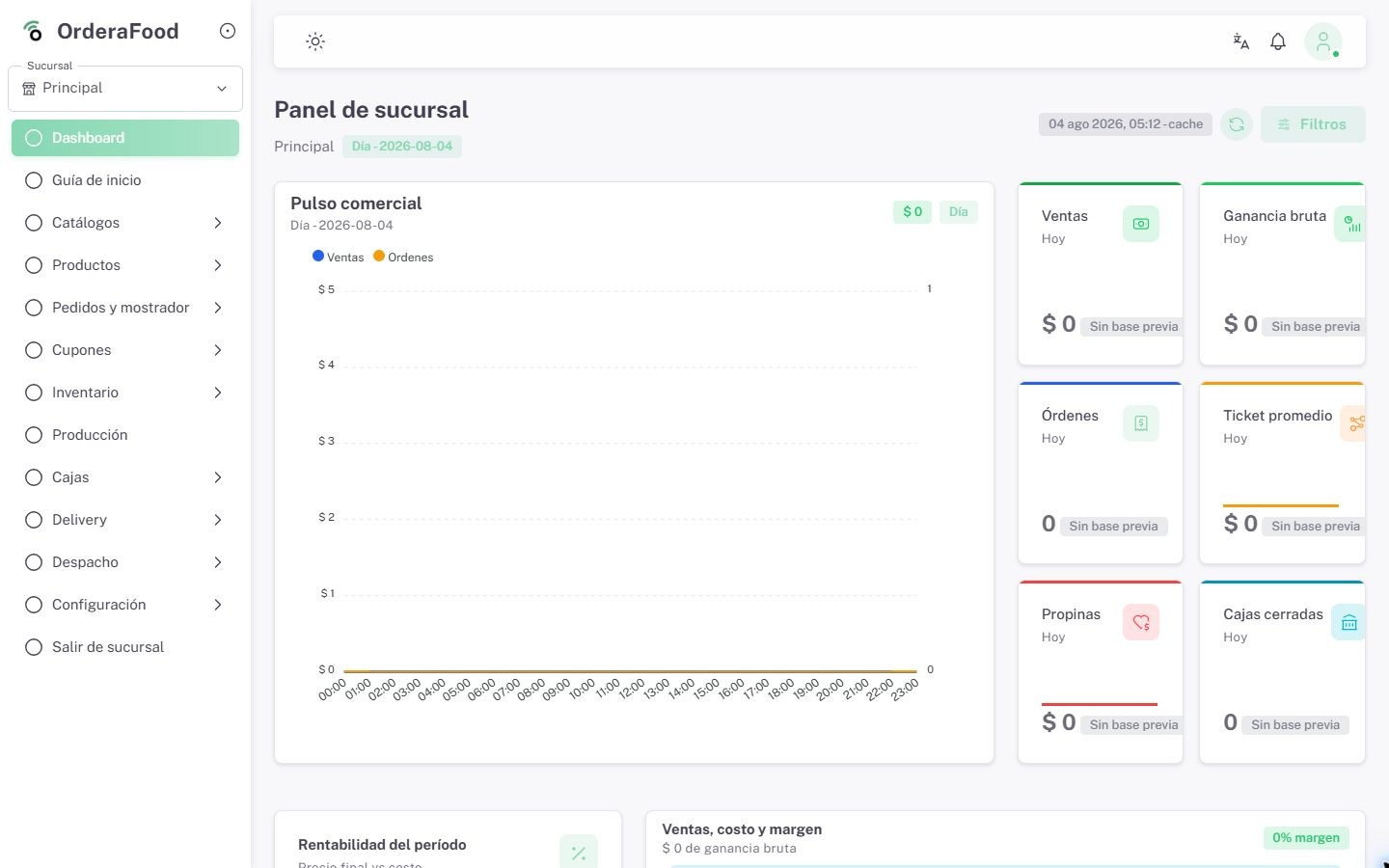
Dashboard view with sales, average ticket and peak-hour insights.
Dashboard (BI)
Review sales, average ticket, top products and gross margin through operational dashboards by location.
Includes
- Live sales and cash register
- Metrics by location
- Fast management view
Menu and pricing management across multiple locations.
Multi-location management
Manage multiple locations under one company, with location-specific prices, availability, stock, checkout and reports.
Includes
- Menus by location
- Centralized prices
- Multi-location operation
Customer profile with history, notes and tasks.
Customers and purchase history
Review purchases, spend, average ticket and favorite products; add tags, notes and follow-up tasks.
Includes
- Purchase history
- Tags and notes
- Follow-up tasks
Support inbox with tickets, statuses and follow-up.
Ticket support
Single support channel inside the system, with tickets, statuses and follow-up to ensure traceability for every case.
Includes
- Centralized tickets
- Follow-up statuses
- Support history
Ordera adapts to your real operation
Checkout on computer or touchscreen POS, kitchen on a dedicated display, tablet orders, laptop administration and phone tracking.
Publish your menu or portal with an Ordera subdomain or your own domain
Each business can use an Ordera subdomain and, depending on plan, connect owned domains or subdomains through DNS setup.
menu.tumarca.compedidos.tumarca.comdelivery.tumarca.comReady to transform your operation?
Our specialists can help you set up Ordera to fit your exact needs.
Request a demo